Drag or upload image
File must be JPG, JPEG, PNG, WEBP and up to 25MB
Free AI Old Photo Restoration Online | HD & Colorize
Restore memories with our AI tool. Old photo restoration online free. Fix scratches, color, and blur instantly.
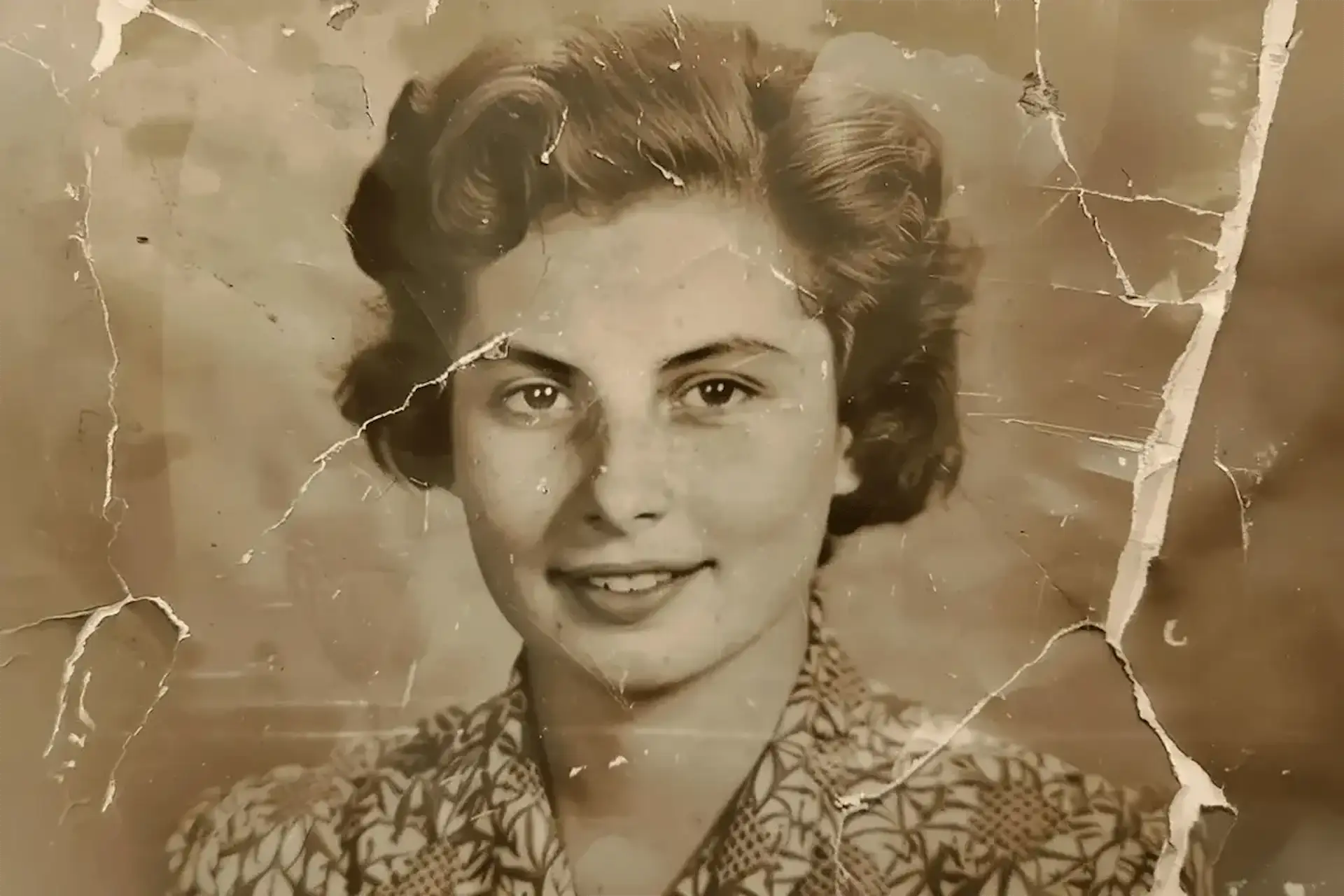
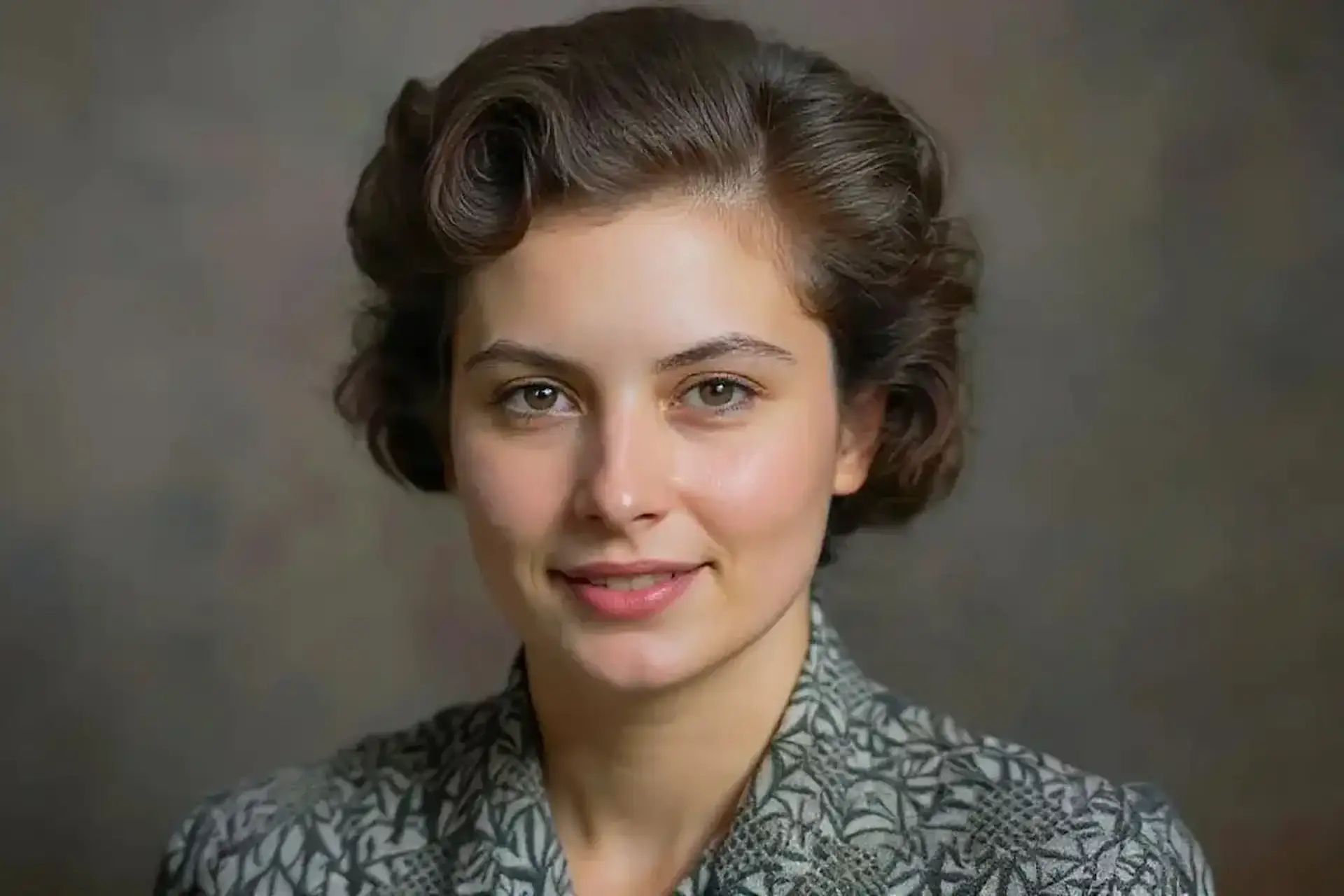
Make Old Pictures Look New — Bring Memories Back to Life
Don't let damaged photos fade away. Use our best AI tool to fix damaged old images automatically. Repair scratches, enhance faces, and bring back original colors in seconds.
How to Restore Old Photos with AI?
1
Upload Your Old Photo
Click the upload button or drag and drop your vintage picture. Use this old photo restoration online free tool to start fixing your memories. Supports JPG, PNG, and more.
2
AI Repairs & Colorizes
The AI scans your photo to make old pictures look new. As the best AI tool can fix damaged old images, it will use AI to remove discoloration in a photo and restore parts of old photos online free.
3
Download Restored Image
Preview the enhanced result and save it. You can picture restore AI 4K free and restore photo online free high quality files ready for printing or sharing.
Old Photo Restoration & Retouch Online Free — No Sign Up
You don't need to be a pro to fix your family albums. Our old photo restoration online free tool works right in your browser. Just upload a black and white or faded picture, and let the AI retouch and repair it.
Restore Photo Online Free High Quality & Sharp Details
Get clear, print-ready results every time. We help you restore photo online free high quality results that look natural. The AI smartly enhances textures and fixes blurriness without making the image look fake or over-processed.
Use AI to Remove Discoloration in a Photo Instantly
Photos often turn yellow or brown over time. You can use AI to remove discoloration in a photo with a single click. It balances the tones and fades away stains, making the image look fresh again.
Restore Parts of Old Photos Online Free — Smart Fix
Have a photo with a missing corner or a tear? You can restore parts of old photos online free. The AI analyzes the surrounding pixels to fill in cracks and missing spots seamlessly, saving your cherished moments.
Picture Restore AI 4K Free — Upscale & Colorize
Turn small, vintage prints into HD digital files. Our picture restore AI 4K free feature enlarges your images without losing quality. It also adds color to black and white photos, making them feel modern and alive.
Real Stories from Happy Users
I was amazed at how this tool could make old pictures look new. My grandma's wedding photo from the 50s had a huge tear, and the AI fixed it perfectly. It looks brand new now.
Emily R. - Family Historian
I tried many apps, but this is the best AI tool can fix damaged old images. It removed the heavy grain and scratches from my childhood pictures without erasing details.
Michael B. - Photography Enthusiast
I love that I can restore photo online free high quality files. The colorization feature is spot on. It helped me identify ancestors in old group photos by bringing out the true colors of their clothes.
Jessica T. - Genealogist
The picture restore AI 4K free feature is a game changer. I could upscale a tiny 2x3 inch photo to a large poster size for a client's memorial event.
David L. - Graphic Designer
I use AI to remove discoloration in a photo for my vintage blog posts. It saves me hours of manual editing work. The results are consistent and very professional.
Sarah W. - Blogger
My kids gave me a digital frame. I used this to fix all my old army photos. The 'ai photo red photo restored color online free' feature fixed the weird red tint on some of them.
Robert J. - Grandfather
Questions About Photo Repair
How does old photo restoration online free work?
It uses smart AI to scan your photo. It detects damage like scratches, folds, and faded spots. Then, it reconstructs the missing details and enhances the image automatically.
Can I really restore photo online free high quality results?
Yes. Our tool is designed to give you high-definition output. It preserves the natural look of the photo while fixing defects, ensuring you get a crisp, clear image.
Is this the best AI tool can fix damaged old images?
We focus on ease of use and quality. Whether you have tears, water damage, or just fading, our tool handles various types of damage effectively, making it a top choice for casual users.
How do I use AI to remove discoloration in a photo?
Simply upload your photo. The AI analyzes the color balance and automatically removes yellowing, sepia tones, and other color casts. It restores the photo to its natural state.
Can it restore parts of old photos online free?
Yes. If there are rips or missing pieces, the AI fills them in based on the image patterns. It does a great job patching up damaged areas so you can't see the original scratches.
Does it support picture restore AI 4K free?
Absolutely. You can upscale your small vintage photos to 4K resolution. This adds pixels and sharpness, making the photo suitable for large prints or high-res screens.
What if my photo has a weird red tint?
The tool includes an 'ai photo red photo restored color online free' mode. It specifically targets color casts like red, blue, or yellow to restore the correct colors.
Save Your Memories Today — Upload Now
Don't let your photos fade away. Use our AI to repair and colorize them in seconds.