Best AI Headshot Generators in 2026: Hands-On Review
🔍 How We Tested
For this review, we tested several of the most popular tools to find the best AI headshot generator options in 2026, comparing them based on what matters most: speed and how realistic the photos look. Whether you need a quick LinkedIn profile picture or a polished image for your resume, this guide will help you choose a tool without wasting time. (Tested and written by the Headshotmaster editorial team, March 2026.)
To ensure consistency, we uploaded the same set of source photos to each tool and evaluated results across three criteria: likeness fidelity (how closely the output resembles the original), generation speed (measured in seconds per image), and ease of use (from upload to download). Each tool was tested across at least 3 style presets where available. Scores reflect a combination of hands-on testing and verified published specifications.
Note: Canva and HeadshotPro could not be fully tested; data for these tools reflects publicly available specifications only.
Best AI Headshot Generators: Quick Overview
| Tool | Overview | Who It's For | Platform | Free Option | Minimum Upload | Price | What You Get |
|---|---|---|---|---|---|---|---|
| Headshotmaster.io | Professional headshots, ID photos, and more. | General individual users | Web | Yes — anonymous: 1 premium + unlimited basic, no login | 1 image | Free (basic unlimited); Premium 4/day after login | Unlimited basic; 4 premium/day |
| Aragon AI | Team professional headshots. | Enterprise teams | Web | No — login + 6 photos required before payment | 6 images | $0.75–0.85/image (one-time) | 40–100 headshots |
| Canva | All-in-one design platform. | Designers & creators | Web+App | Limited (1 free/day refresh) | 1 image | from $0.01/credit | 100 credits/day |
| Headshotpro | Career and professional headshots. | Job seekers | Web | No — pay first, no trial | 15 images | $0.80–1.00/image (one-time) | 30–70 headshots, up to 4K |
| Notegpt.io | AI tools for learning and work. | Students & knowledge workers | Web | Yes — 2 free/day, no login | 1 image | $0.03–0.10/image | up to 1,000 headshots |
| Dreamwave AI | High-quality headshots and team photos. | Executives & government | Web | Limited — free preview before purchase | 4 images | $0.33–0.47/image | 75 headshots |
| Pixelbin.io | Image management and AI processing for businesses. | Developers & tech teams | Web+App | Limited — 3 free/month; 1 anonymous/24h | 4 images | $0.24–1.14/image (one-time) | 150 credits |
| Lockedinai | Job seeker tools: resumes, interviews, applications. | Fresh graduates & job seekers | Web | Limited — 10 min free/day | 1 image | $39.99/3mo | Unlimited for 3 months |
| Visualgpt.io | AI tools for images, videos, and design. | Content creators | Web | Yes — 3 free/day, anonymous | 1 image | $0.046–0.196/image | 100 credits |
| Monica | AI workstation with multiple tools. | Heavy AI users | Web | Limited — 4 free on signup | 1 image | $0.0083–0.0132/image | 1,500 credits |
Prices sourced from each tool's official pricing page, verified March 2026. Always verify on official websites before purchasing. PixelBin pricing varies between $0.24–$1.14 depending on plan and volume.
Best AI Headshot Generators Reviewed
HeadshotMaster ★★★★
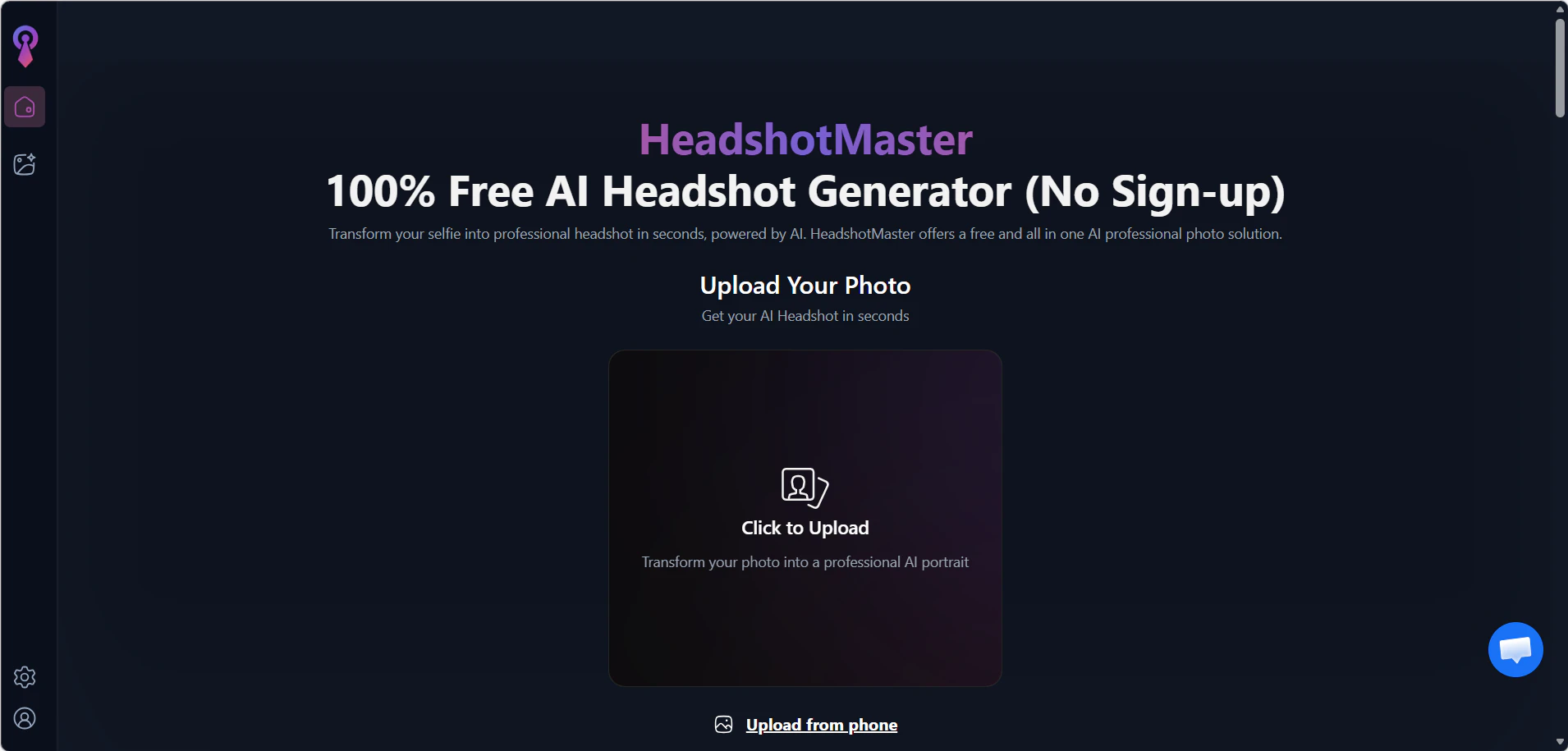
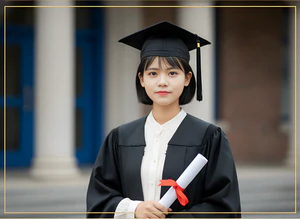
Summary: Fast, free, no sign-up — upload 1 photo and get results in 5–20 seconds. Anonymous users get 1 premium try + unlimited basic.
✅ Pros
- 1–4 photos sufficient
- Anonymous users: 1 premium attempt + unlimited basic, no sign-up needed
- Login users: 4 premium/day + unlimited basic
- Fast generation: 5–20s per image
- 20+ scene presets; suitable for both casual and professional use
❌ Cons
- Over-smoothed skin; lower fidelity to original
- Notable quality gap between basic and premium model output
🗨 User Experience
- Premium output is noticeably sharper and more natural-looking than the basic model.
- Generation is fast enough to test multiple scene presets in under 5 minutes.
📖 Example Use Case
A college student needs a LinkedIn photo before a job fair. She uploads one selfie, gets a professional-looking headshot in 12 seconds with no sign-up. The premium result looks polished; she uses the basic version as a backup. Total cost: $0.
🪄 How to Use
Go to HeadshotMaster → Upload 1 photo → Choose a scene preset → Click Generate → Download result. No account needed. For premium quality, log in and use your 4 free premium credits per day.
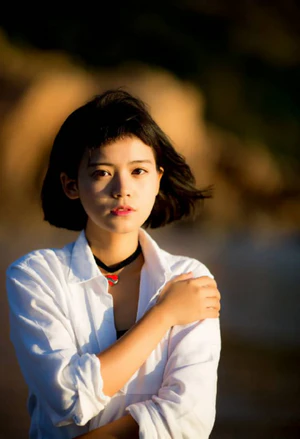
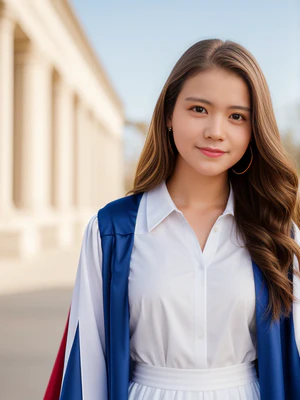
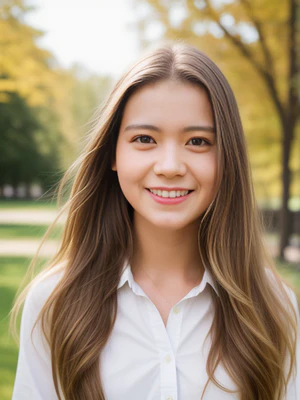
🖼️ Effect Image
Aragon AI ★★★★
Summary: Designed for professionals & marketers; supports large batch outputs with a one-time payment. No free trial — users must log in and upload at least 6 photos before being prompted to pay. High per-image cost compared to some competitors, but the commercial license makes it a strong choice for business use.
✅ Pros
- 40–100 images per batch
- One-time payment, no subscription
- Licensed for commercial use
- Generation time: 9s–1 min per image
❌ Cons
- No free trial, no anonymous access
- Must log in and upload at least 6 photos before payment is requested — high barrier for new users
- HD upgrade costs 2× base price
- Only premium plans unlock all background options
- Higher per-image cost ($0.75–0.85) compared to budget alternatives
🗨 User Experience
- Requires login and 6 photos upfront before showing any pricing — the highest barrier to entry on this list.
- Output quality is consistently high and realistic across different skin tones and lighting conditions.
📖 Example Use Case
An HR manager needs headshots for a team of 12 before a company rebrand. She uploads 6 photos per person, selects a consistent office-style background, and receives 40 headshots per person within 1 hour. The commercial license means the photos can go directly on the company website.
🪄 How to Use
Sign up → Upload 6–12 photos → Select style → Pay ($0.75–$0.85/image) → Receive 40–100 headshots within 1 hour.
Canva ★★★
Limited data — full feature testing was unavailable during this review.
Summary: Built into the Canva ecosystem; ideal for immediate use in social media posts, resumes, or presentations. Free tier refreshes once daily.
✅ Pros
- 1 photo required
- 12 styles, 4 modes
- Low per-image cost ($0.01–0.10)
- Generated headshots directly usable in Canva designs
❌ Cons
- Free tier slow (~1 min/image)
- No anonymous usage; no free redo
- Lower likeness fidelity
🗨 User Experience
- Best for people already in the Canva ecosystem — headshots can be dropped directly into resume or presentation templates.
- At $0.01–$0.10/image it's the cheapest paid option, but output consistency varies more than dedicated headshot tools.
📖 Example Use Case
A freelance designer updates her portfolio. She uses Canva's AI headshot tool to generate a professional photo, then places it directly into her existing Canva resume template — no exporting or switching tools needed. She uses 3 credits from her daily 100 to find the best result.
🪄 How to Use
Open Canva → Go to AI tools → Select headshot generator → Upload 1 photo → Generate → Download or use directly in your Canva design. Free tier: 1 refresh/day. Paid: up to 100 credits/day.
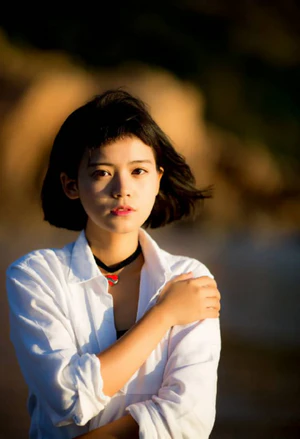
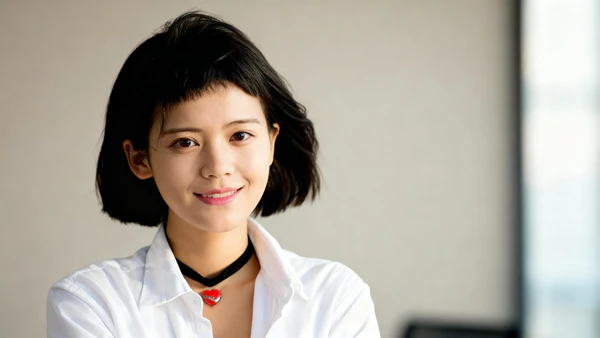
🖼️ Effect Image
HeadshotPro ★★★★
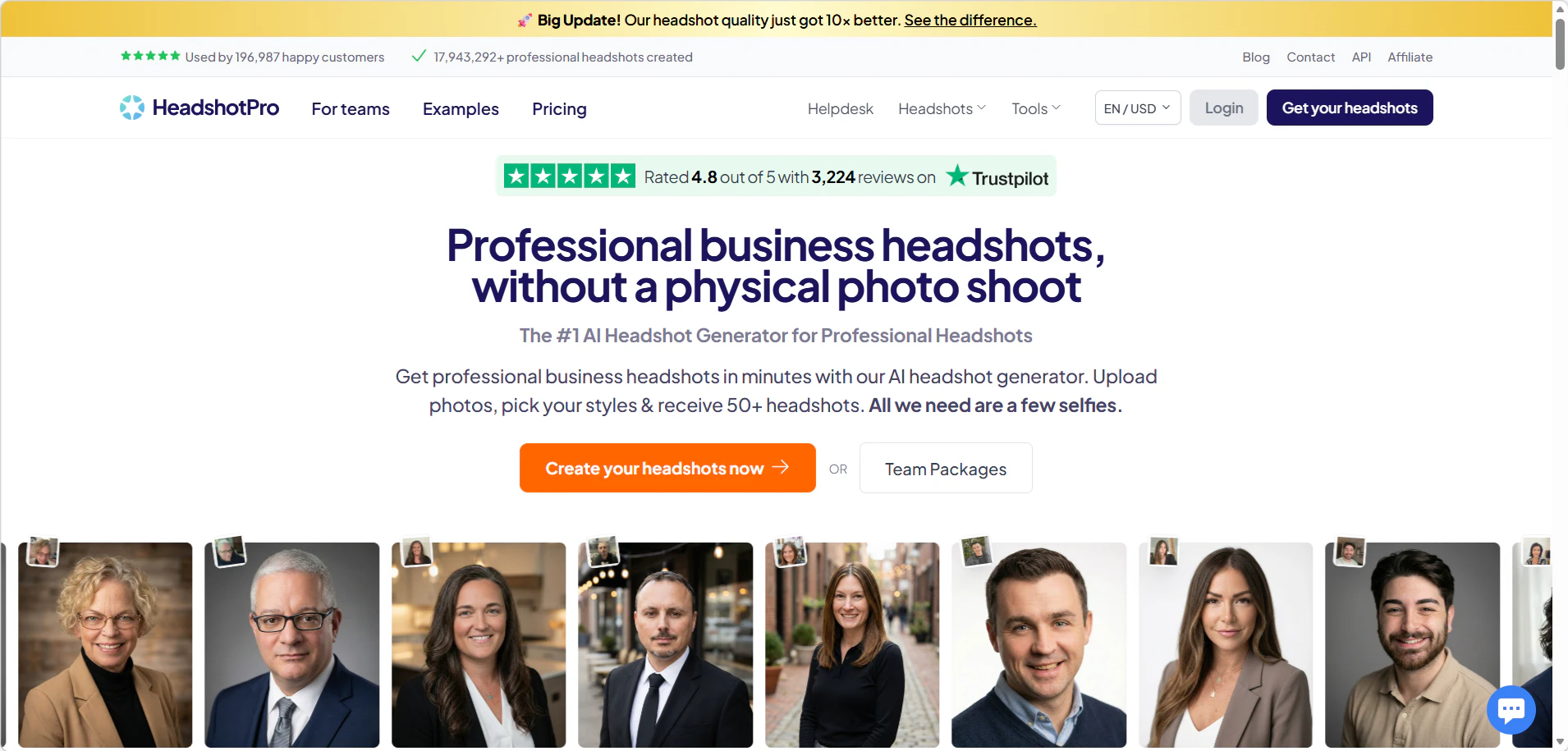
Output not independently verified; rating based on published specs and user-reported results.
Summary: Feature-rich with 4K support and 1,000+ styles — the strongest choice when quality is the top priority. However, it requires payment upfront with no free trial, which raises the barrier to entry. Processing time is long (1–3 hours per batch), and once generated, individual images cannot be fine-tuned — only a full redo (max 1 time) is allowed.
✅ Pros
- Batch 30–70 images
- 4K resolution support
- 1,000+ styles available
- One-time payment, no subscription
- Refund policy included; up to 1 redo
❌ Cons
- No anonymous trial; must pay before trying — reduces willingness to attempt
- Processing time 1–3h per batch
- Must upload at least 15 source photos
- No per-image fine-tuning after generation; only full redo allowed (max 1×)
- Price: $0.80–1.00/image — limited flexibility
🗨 User Experience
- No free trial — you pay before seeing any results. Uploading 15+ photos and paying upfront makes this the highest barrier-to-entry tool on this list.
- Based on user-reported results, output quality is among the best on this list — 4K resolution, 1,000+ styles, and likeness widely described as comparable to professional studio photography.
📖 Example Use Case
A job seeker preparing for senior-level interviews uploads 20 photos, selects a formal office style, and receives 70 headshots in 4K within 2 hours. She picks the best 3 and uses them across LinkedIn, her resume, and email signature.
🪄 How to Use
Go to HeadshotPro → Pay first ($0.80–$1.00/image, one-time) → Upload 15+ photos → Select preferred styles → Receive 30–70 headshots in 4K within 2 hours.
NoteGPT ★★★
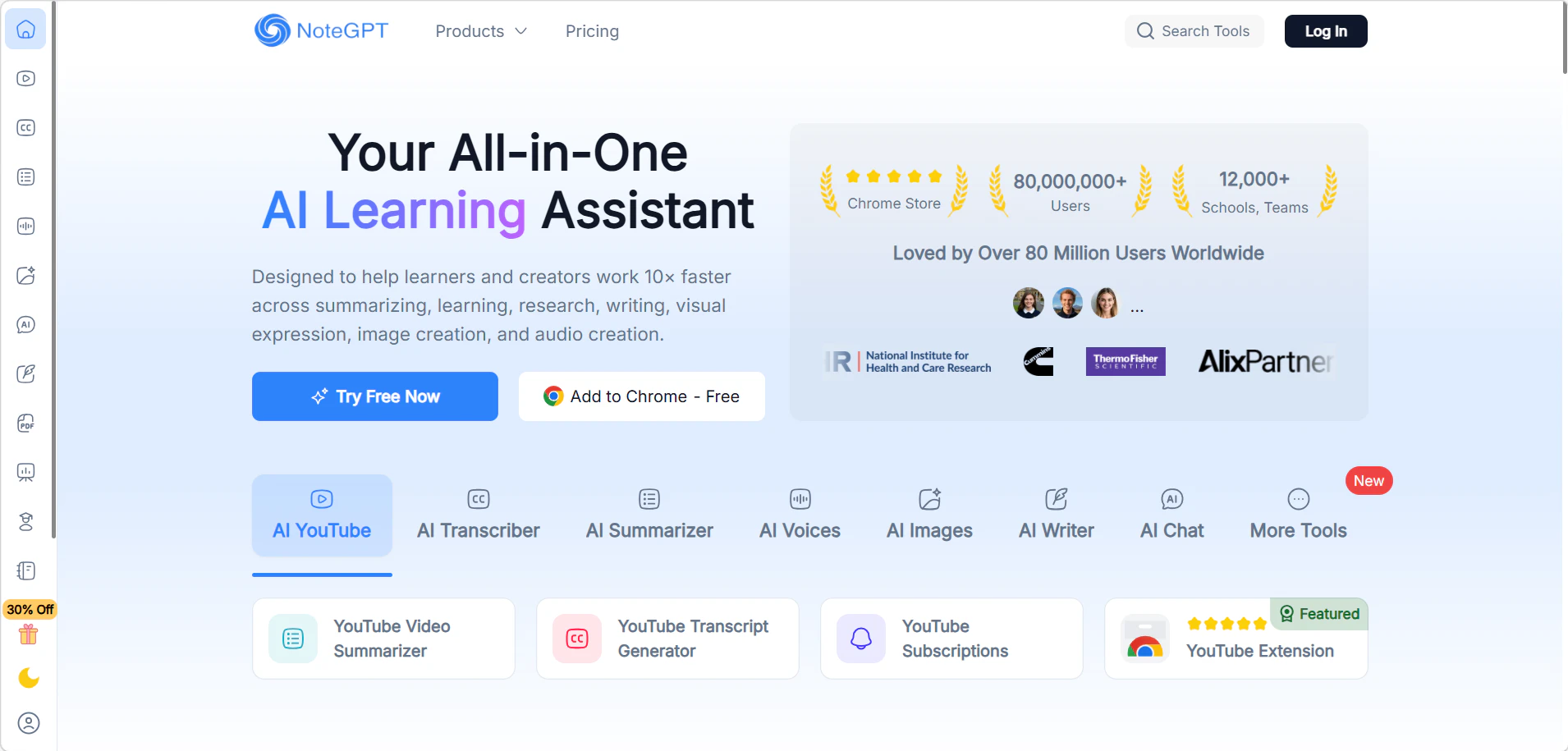
Summary: A budget-friendly option with iterative image-to-image editing. The tool is built on an image-to-image generation framework, allowing users to refine results from a previous output without restarting. Anonymous users get 2 free generations per day with no login required.
✅ Pros
- 2 free images/day, no login required
- Affordable: $0.03–0.10/image
- Iterative image-to-image editing — refine without restarting
- Generation time: 10–20s per image
❌ Cons
- Lower likeness fidelity
- Built on a third-party image-to-image generation framework — not a dedicated headshot model
- Free quota is very limited; not suited for continuous or high-volume use
🗨 User Experience
- One of the few tools that requires no upfront payment and still delivers decent results.
- Built on a general image-generation model — results are less consistent than dedicated headshot tools but work well for casual use.
📖 Example Use Case
A remote worker needs a quick profile photo for an internal company directory. He uploads 1 selfie on NoteGPT, generates 3 variations, and picks the most professional-looking one. Total time: under 2 minutes. Total cost: $0.
🪄 How to Use
Go to NoteGPT → Upload 1 photo → Select style → Generate and download. No sign-up needed for 2 free daily generations; create a free account for additional credits.
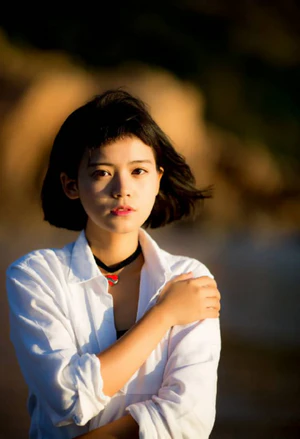
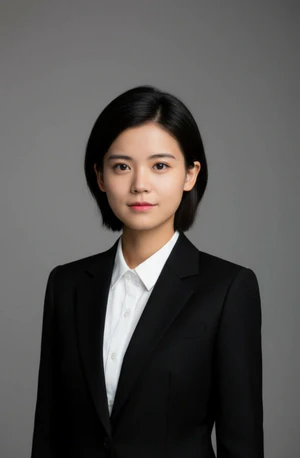
🖼️ Effect Image
Dreamwave ★★★★
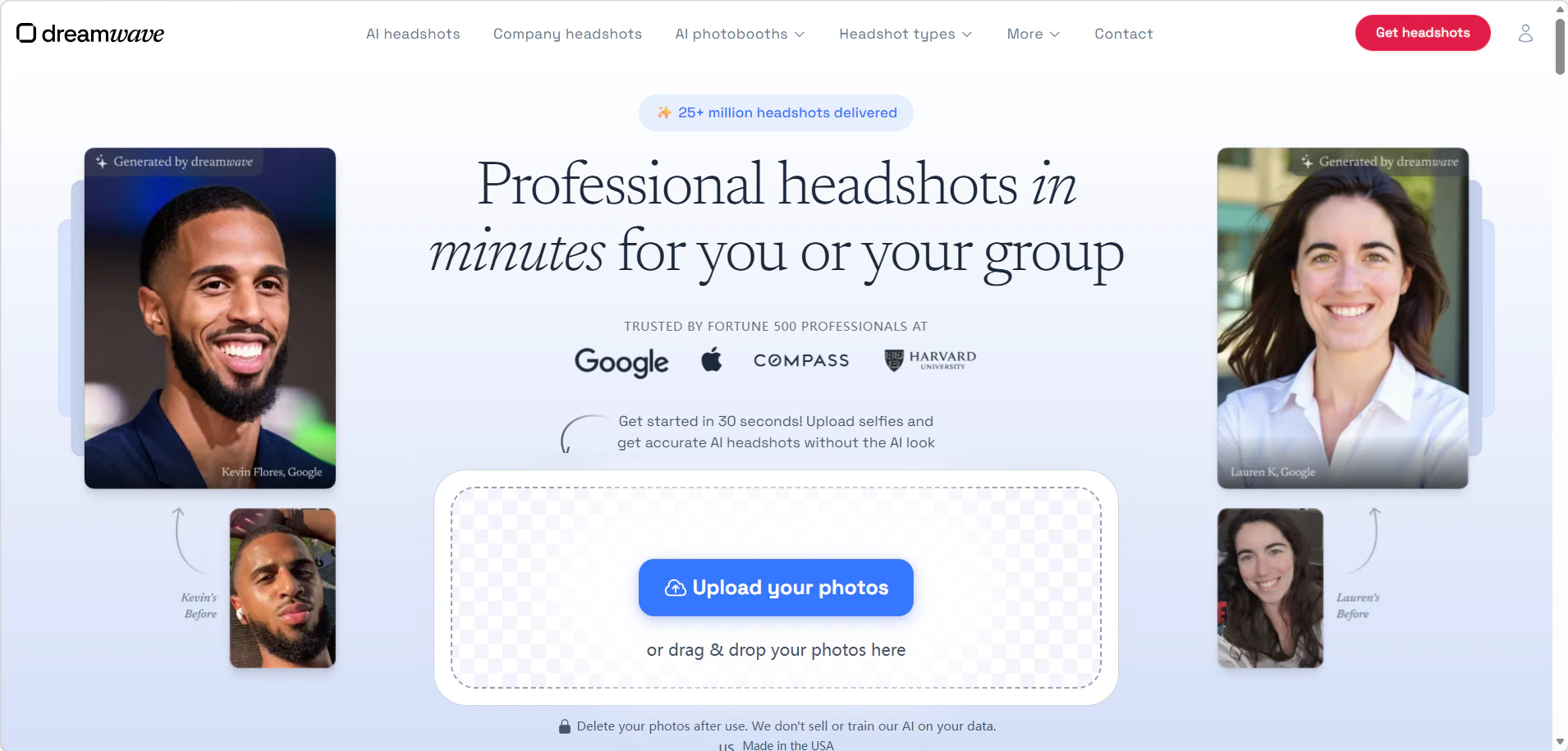
Summary: Privacy-first tool that emails results directly to users and auto-deletes all data after 30 days. Includes a team headshot tool for consistent batch output across multiple members.
✅ Pros
- Team-wide consistent avatars
- Free preview available before purchase (results sent to email)
- Data auto-deleted after 30 days
- Generation time: 24s–1.6 min per image
❌ Cons
- Minimum 4 photos required; upload must be ≥ 500×500px
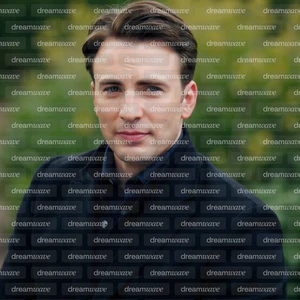
- Preview heavily watermarked
- No anonymous usage
- Price: $0.33–0.47/image
🗨 User Experience
- Requires at least 4 photos and sign-up, but offers one of the few auto-delete privacy policies (photos removed within 30 days).
- Best suited for teams wanting consistent style across multiple people.
📖 Example Use Case
A startup team of 5 needs matching headshots for their website's About page. Each person uploads 4 photos. Dreamwave generates consistent backgrounds and lighting across all 5 members in one batch. Photos are auto-deleted within 30 days after download.
🪄 How to Use
Sign up → Upload 4+ photos per person → Select background and style → Generate batch → Download within 30 days (photos auto-deleted after).
🖼️ Effect Image

PixelBin ★★★
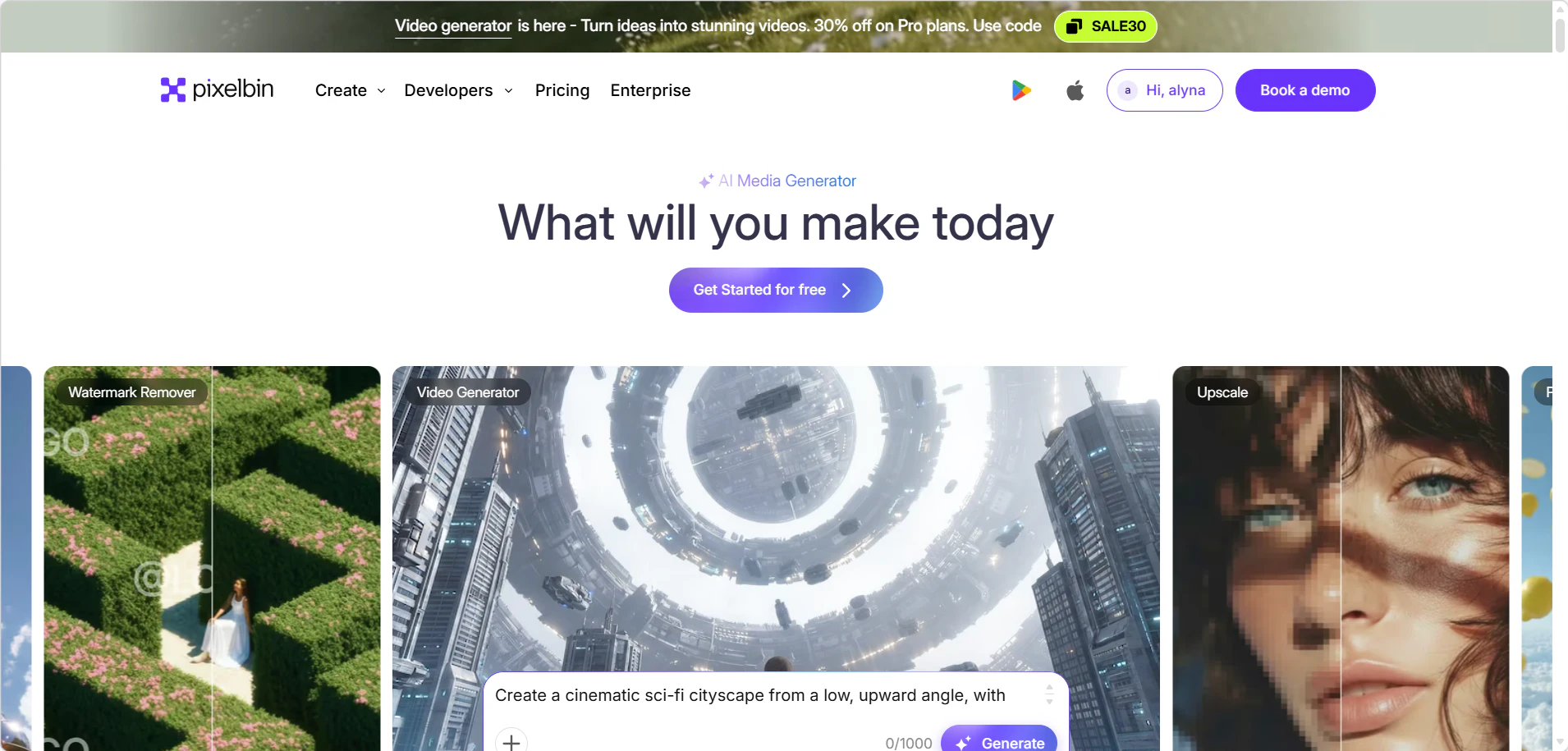
Summary: Enterprise/team-ready batch generation with auto-quality filtering. One-time payment model. Anonymous users get 1 free attempt per 24 hours; registered users get 3 free images/month plus 10 credits on first sign-up.
✅ Pros
- One-time payment, no subscription
- Fast batch (~6s per image)
- Auto-filters low-quality photos
- 3 free images/month for registered users; 1 free anonymous attempt per 24 hours — no sign-up needed to try
❌ Cons
- Minimum 4 photos required
- Free tier generates random styles — no theme selection
- No full anonymous access beyond 1 attempt/day
- Price: $0.24–1.14/image
🗨 User Experience
- Fastest generation on this list at ~6 seconds per image — ideal when speed is the priority.
- Results can look slightly over-processed, but are clean enough for LinkedIn and email signatures.
📖 Example Use Case
A recruiter needs a professional headshot updated before a conference in 30 minutes. She uploads 4 photos to PixelBin, gets results in under 30 seconds, adjusts the background to white, and downloads. Done before her meeting starts.
🪄 How to Use
Anonymous users can try once per 24 hours without sign-up. For full access, go to PixelBin → Sign up → Upload 4 photos → Select headshot style → Generate (~6 seconds) → Download.
🖼️ Effect Image
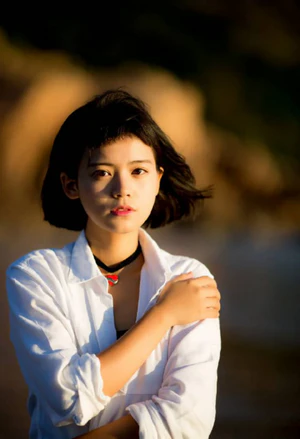
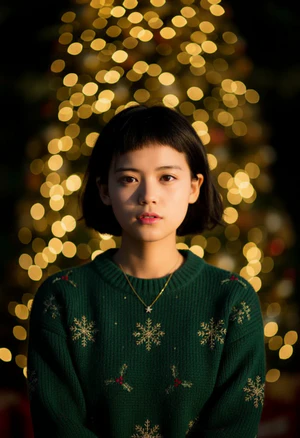
LockedIn AI ★★★
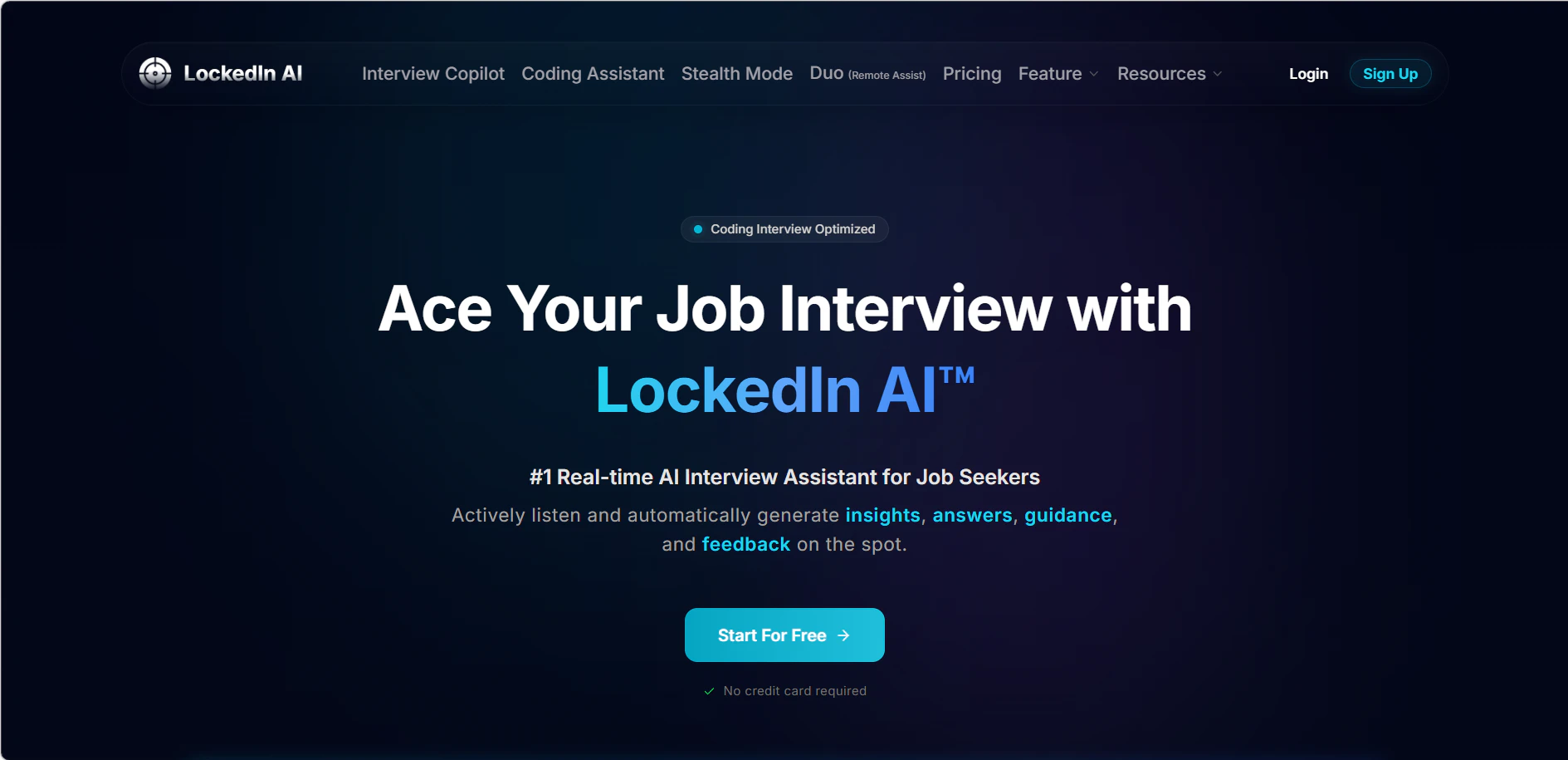
Summary: Lightweight tool with 10 free minutes per day. Accepts 1–10 photos with fast generation speed of 8–15s per image. Best for quick small-batch testing.
✅ Pros
- Fast: 8–15s per image
- Easy small-batch testing
- 10 free minutes/day for all users
❌ Cons
- No anonymous option
- Output consistency varies; some generation failures possible
🗨 User Experience
- Specifically designed for LinkedIn and job applications — style presets are tailored for professional contexts.
- More niche than general headshot tools; less useful outside of career-focused use cases.
📖 Example Use Case
A recent graduate optimizes her LinkedIn before applying to jobs. She uploads 1 photo, selects the "LinkedIn Professional" preset, and gets a clean headshot with a neutral background in under 30 seconds. She applies it directly to her LinkedIn profile.
🪄 How to Use
Sign up → Upload 1 photo → Select LinkedIn-optimized style → Generate → Download and use directly on LinkedIn or resume.
🖼️ Effect Image
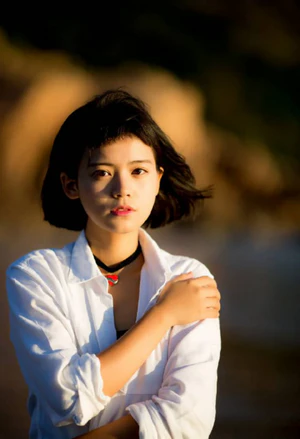
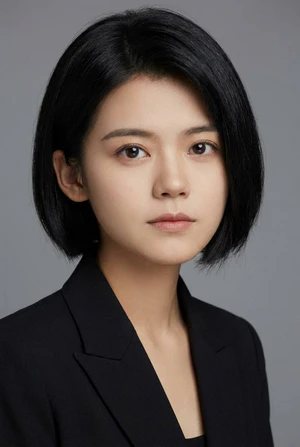
VisualGPT ★★★
Summary: Fully anonymous with 3 free attempts per day. Built on an image-to-image generation framework (powered by Nano Banana), with a before/after comparison view on the results page.
✅ Pros
- Anonymous usage — no login required
- 3 free generations/day
- Before/after comparison on results page
- Affordable: $0.046–0.196/image
- Generation time: 10–20s per image
❌ Cons
- Lower likeness fidelity
- Built on image-to-image generation wrapper (Nano Banana, a third-party image generation service) — not a dedicated headshot model
🗨 User Experience
- Image-to-image generation framework means it can create highly creative or stylized headshots, but likeness consistency is lower than dedicated tools.
- Good for creative profiles (artists, designers) where a stylized look is acceptable.
📖 Example Use Case
A graphic designer wants a headshot for her Behance portfolio that has a slightly illustrated look. She uploads 1 photo and uses VisualGPT's style transfer to generate a semi-realistic, stylized portrait that fits her brand aesthetic.
🪄 How to Use
Go to VisualGPT → Upload 1 photo → Select style (realistic or stylized) → Generate → Download. Free tier available.
🖼️ Effect Image
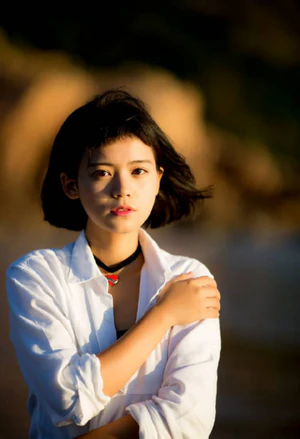

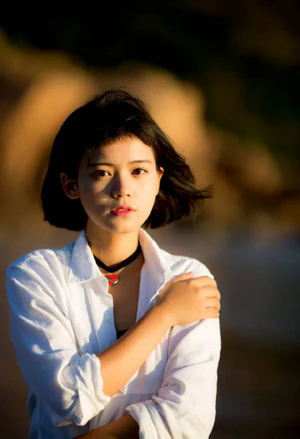
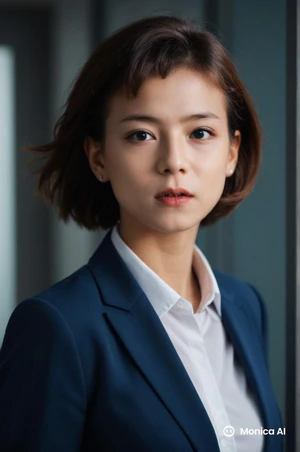
Monica ★★★★
Summary: Ultra-budget option with strong privacy protection. New users receive 8 credits on signup (4 free generations at 2 credits each). All uploaded photos and generated results are automatically deleted within 48 hours.
Four stars for its exceptionally low cost-per-image and strong privacy policy, despite weaker likeness fidelity.
✅ Pros
- 1 photo sufficient
- 4 free generations on signup (8 credits, 2 credits per generation)
- Extremely low cost: $0.0083–0.0132/image
- Photos and results auto-deleted within 48 hours
- Generation time: 15–20s per image
❌ Cons
- Weak likeness fidelity
- No anonymous trial
- Free downloads include watermarks
🗨 User Experience
- All-in-one AI platform — headshot generation is one feature among many, which makes it useful if you already use Monica for other tasks.
- Photos are auto-deleted within 48 hours — faster than Dreamwave's 30-day deletion window, making it the stronger choice for immediate privacy.
📖 Example Use Case
A content creator who already uses Monica for writing assistance adds a new profile photo directly within the same platform. She generates 5 variations, picks the best one, and uses it across her social media accounts — all without switching tools.
🪄 How to Use
Open Monica → Go to headshot feature → Upload 1 photo → Select style → Generate → Download before 48-hour auto-delete window.
🖼️ Effect Image
🎯 Who Should Use Which Tool
| Your Situation | Best Pick | Why |
|---|---|---|
| Try it free (no signup) | HeadshotMaster / VisualGPT / NoteGPT | Free anonymous access, no credit card required |
| On a tight budget | Monica / NoteGPT / HeadshotMaster | Extremely low cost per image |
| Need a LinkedIn photo fast | PixelBin / HeadshotMaster | Very fast generation (~6s per image) |
| For marketing or commercial use | Aragon AI | Commercial usage license included |
| Team or company headshots | Dreamwave / PixelBin | Batch generation with consistent style |
| Highest realism / 4K quality | HeadshotPro | 4K output, 1,000+ styles |
| Already using Canva | Canva | Directly usable in Canva designs |
| Privacy is critical | Dreamwave / Monica | Dreamwave auto-deletes in 30 days; Monica in 48 hours |
Frequently Asked Questions
Q: Can I get a free AI headshot without signing up?
A: Yes. HeadshotMaster lets you generate unlimited basic headshots anonymously — no account needed, making it one of the best AI headshot generators for users who want to try before signing up.
Q: How many photos do I need to upload?
A: It depends on the tool. HeadshotMaster needs just 1. Canva works with 1 image. Aragon AI needs 6; Dreamwave needs 4. HeadshotPro requires at least 15 for best results.
Q: Are AI headshots good enough for LinkedIn?
A: Yes. Tools like Aragon AI and HeadshotMaster produce results realistic enough for LinkedIn and professional use. HeadshotPro is highly rated based on published specifications, though we were unable to independently verify output quality during testing.
Q: Do AI headshot generators work for teams?
A: Yes. Aragon AI and Dreamwave are both built with team use in mind — Aragon AI includes commercial licensing for marketing materials, while Dreamwave offers consistent batch output across multiple team members with auto-delete privacy protection. Most other tools on this list are designed for individual use.
Q: What is the cheapest AI headshot generator?
A: For free use, HeadshotMaster offers unlimited basic generations with no sign-up required, and NoteGPT provides 2 free images per day anonymously. For paid use, Monica is the most affordable at $0.0083–$0.0132 per image, followed by NoteGPT at $0.03–$0.10/image.
⚠️ Things to Watch Out For
Before committing to any best AI headshot generator, here are the key factors to evaluate:
- Privacy: Check how long platforms keep your photos. Dreamwave deletes data after 30 days, while Monica removes it within 48 hours.
- Watermarks: Free plans often add watermarks (e.g., Monica, Dreamwave preview, PixelBin preview).
- Commercial Use: Not all tools allow business use — Aragon AI explicitly includes a commercial license.
- Likeness Quality: Premium tools usually preserve facial similarity better than budget options.
- Minimum Photos: Some tools require significantly more source images — HeadshotPro needs at least 15, Aragon AI and Dreamwave need at least 6 and 4 respectively.
- Pay Before You Try: HeadshotPro requires payment upfront with no free trial. Aragon AI requires login and uploading at least 6 photos before showing any pricing — both have high barriers to entry compared to free-first tools like HeadshotMaster or NoteGPT.
- Image-to-Image Wrappers: NoteGPT and VisualGPT are built on image-to-image generation frameworks rather than dedicated headshot models, which may affect likeness consistency.